Let's start, if you don't have rhel-8.5-x86_64-dvd.iso Image which I used in this demo you can download it from official redhat website, what you will need is just to create the account there and continue other steps.
1**.I'm using vimware workstation,** first step is to add rhel-8.5-x86_64-dvd.iso disk Image. after that it will be visible in your virtual machine
- open your terminal in your virtual rhel-server as root user type the following command to see if you can see it
[root@localhost ~]# blkid
/dev/nvme0n1: PTUUID="36e3d704" PTTYPE="dos"
/dev/nvme0n1p1: UUID="6cd0070c-8d42-4266-a3aa-1c613b40357d" BLOCK_SIZE="512" TYPE="xfs" PARTUUID="36e3d704-01"
/dev/nvme0n1p2: UUID="a73b85be-2e4c-4843-ac26-c56829589fb8" TYPE="swap" PARTUUID="36e3d704-02"
/dev/nvme0n1p3: UUID="e5a5b972-bd56-4395-978f-1cb6e439250f" BLOCK_SIZE="512" TYPE="xfs" PARTUUID="36e3d704-03"
/dev/sr0: BLOCK_SIZE="2048" UUID="2021-10-13-03-57-25-00" LABEL="RHEL-8-5-0-BaseOS-x86_64" TYPE="iso9660" PTUUID="4d694e6c" PTTYPE="dos"
from the above we are concerned with the last /dev/sr0 with LABEL="RHEL-8-5-0-BaseOS-x86_64" andiso9660 as type, which means this is the image you've added in step 1
- type this command
dd id=/dev/sr0 of=myRedhat.iso bs=1M
this command will create an iso image at / called myRedhat.iso you can rename it whatever you want but make user it ends with .iso, this will take less than 10 min depending on your system speed
4**.create an empty directory called repo at /**
Next you will need to add this entry in /etc/fstab
/myRedhat.iso /repo iso9660 defaults 0 0
5.after adding the above entry you will need to type this command.
systemctl daemon-reload
- type mount -a just to mount myRedhat.iso to /repo permanently (mounting a device simply means to connect a device to a directory in order to access its contents)
7**.check if /repo directory has read-only mounted contents**
[root@localhost tuganimana]# ls /repo/
AppStream EFI extra_files.json images media.repo RPM-GPG-KEY-redhat-release BaseOS EULA GPL isolinux RPM-GPG-KEY-redhat-beta TRANS.TBL
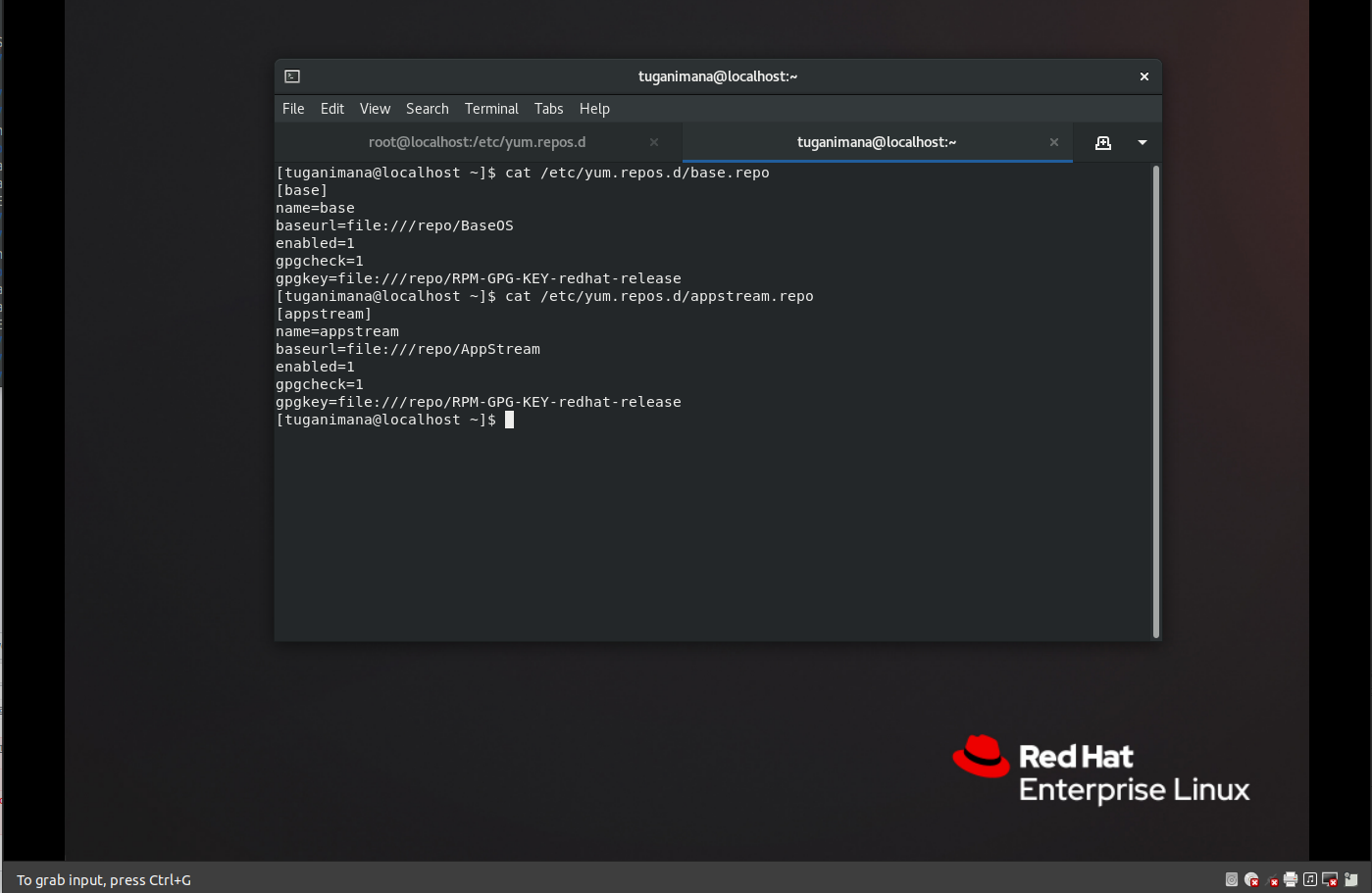
- cd /etc/yum.repos.d/ and create two files base.repo, appstream.repo, these names are not mandatory you can use whatever names you want but make sure it ends with .repo
content of base.repo file
[root@localhost yum.repos.d]# cat base.repo
[base]
name=base
baseurl=file:///repo/BaseOS
enabled=1
gpgcheck=1
gpgkey=file:///repo/RPM-GPG-KEY-redhat-release
content of appstream.repo file
[root@localhost yum.repos.d]# cat appstream.repo
[appstream]
name=appstream
baseurl=file:///repo/AppStream
enabled=1
gpgcheck=1
gpgkey=file:///repo/RPM-GPG-KEY-redhat-release
So, the first entry in the file is just a label you can label it whatever you want and the second is just a name,the third entry which is important and must be a case sensitive is the link url to local repository files,enabled=1, gpgcheck=1, it means that you are enabling verify the authenticity of the packages by checking the GPG signatures, last entry is about link to local GPG signatures which are located in /repo directory
- checking repository
[root@localhost yum.repos.d]#yum repolist -v
Loaded plugins: builddep, changelog, config-manager, copr, debug, debuginfo-install, download, generate_completion_cache, groups-manager, kpatch, needs-restarting, playground, product-id, repoclosure, repodiff, repograph, repomanage, reposync, subscription-manager, uploadprofile
Updating Subscription Management repositories.
Unable to read consumer identity
This system is not registered with an entitlement server. You can use subscription-manager to register.
YUM version: 4.7.0
cachedir: /var/cache/dnf
base 132 MB/s | 2.4 MB 00:00
Last metadata expiration check: 0:00:01 ago on Mon 14 Mar 2022 09:15:38 AM PDT.
Repo-id : appstream
Repo-name : appstream
Repo-revision : 1634110997
Repo-updated : Wed 13 Oct 2021 12:43:19 AM PDT
Repo-pkgs : 6,220
Repo-available-pkgs: 5,282
Repo-size : 8.2 G
Repo-baseurl : file:///repo/AppStream
Repo-expire : 172,800 second(s) (last: Mon 14 Mar 2022 09:13:42 AM PDT)
Repo-filename : /etc/yum.repos.d/appstream.repo
Repo-id : base
Repo-name : base
Repo-revision : 1634111018
Repo-updated : Wed 13 Oct 2021 12:43:39 AM PDT
Repo-pkgs : 1,708
Repo-available-pkgs: 1,706
Repo-size : 1.2 G
Repo-baseurl : file:///repo/BaseOS
Repo-expire : 172,800 second(s) (last: Mon 14 Mar 2022 09:15:38 AM PDT)
Repo-filename : /etc/yum.repos.d/base.repo
Total packages: 7,928
if repo size are 0.00 means that there are some problems in your repository configuration, like misspelling paths, etc...
another way you should create a local repository, you might firsty create a logical volume copy repository files on that local volume after then mount yr logical volume to a directory, click here to see how you to create logical volumes
More from our blog
> This blog will show you how to resolve Parked free error page issue during you site hosting. read more
Error Netlify CMS
> this blog will show you how to handle this error Error loading the CMS Configuration while trying to use Nelify cms read more
Django and Msql(Ubuntu)
> This blog will show you how to use MySQL instead of using default Db SQLite provided by Django Framework. im using ubuntu linux read more
Spring Boot project
> Hello This is a Spring boot Web Application you Can Download it And Change the source codes the way you want read more
vmrun has returned an error: Unable to connect to host
> how to fix "`vmrun has returned an error: Unable to connect to host`" error provided by gns3 when trying to connect to a vmware host read more
Extending Hardisk size of Redhat-Virtual(Machine)-Vmware-WorkStation 16 Player
This blog will show you step by step how to Extending Hardisk of Redhat8-Virtual(Machine)-Vmware-WorkStation 16 Player, read more