Hi every one this is a spring boot applicaton that you can downoad and use the way you want it is using default view provided by spring boot framework which is (Thymeleaf),it has security,it has 5 tables you can insert update delete Datas you can log in as admin or normal user and change everything as you want
It is a simple project for someone who is starting spring boot framework code effeciency 70% you will read all comments that provided within source code and here i'm going to provide every details that you will need to know for starting using my project, i think every anyone who doesn't know java or Rest will get a good insight ,this project has one method which returns an API which was consumed on booking page for loading corresponding hours depending on departure choosen. i achieve this by a help of ICYAMAMARE Monsieur Iyaturemye Claude aka Buffalo the founder and Manager of IMBOGO LTD COMPANY.
A company which do web development,desk top applications,Android&IOS Apps,see some of their work ebaza,umuhuza and other more projects you can ping him as well for any of this services mentioned above
So this the time to show you everything related this project step by step but if you have a query or any problem i can help you ping me
Insight: This is a project created by using litco as use case so people will be able to book tickets online note: there is no payment in this project but if you want you can add it.
-
clone my project via my gitlab repository
-
import the project in sts(spring tool suite)
-
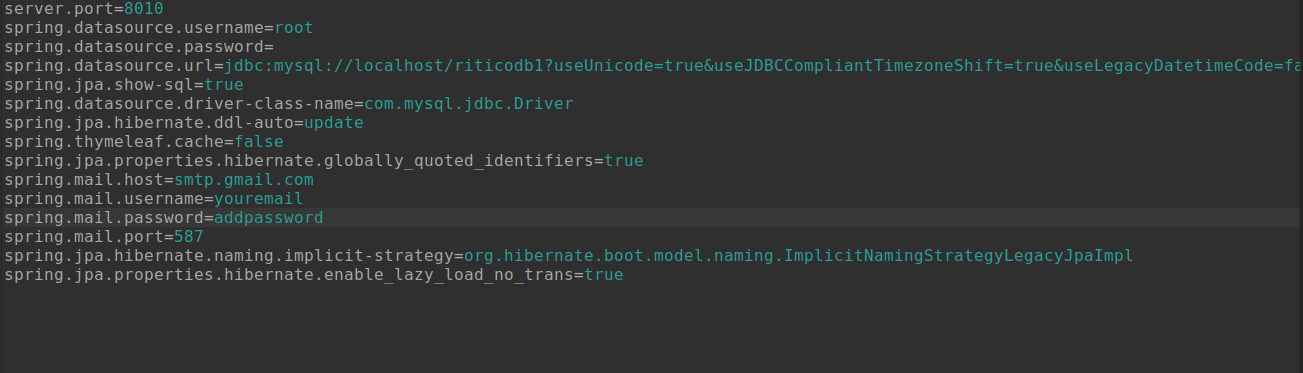
create a dabase called riticodb1 you can check the name of the database in configuration file check this screenshoot
-
run project click on project name and run it as spring boot app
-
tables will be generated automatically in you database
-
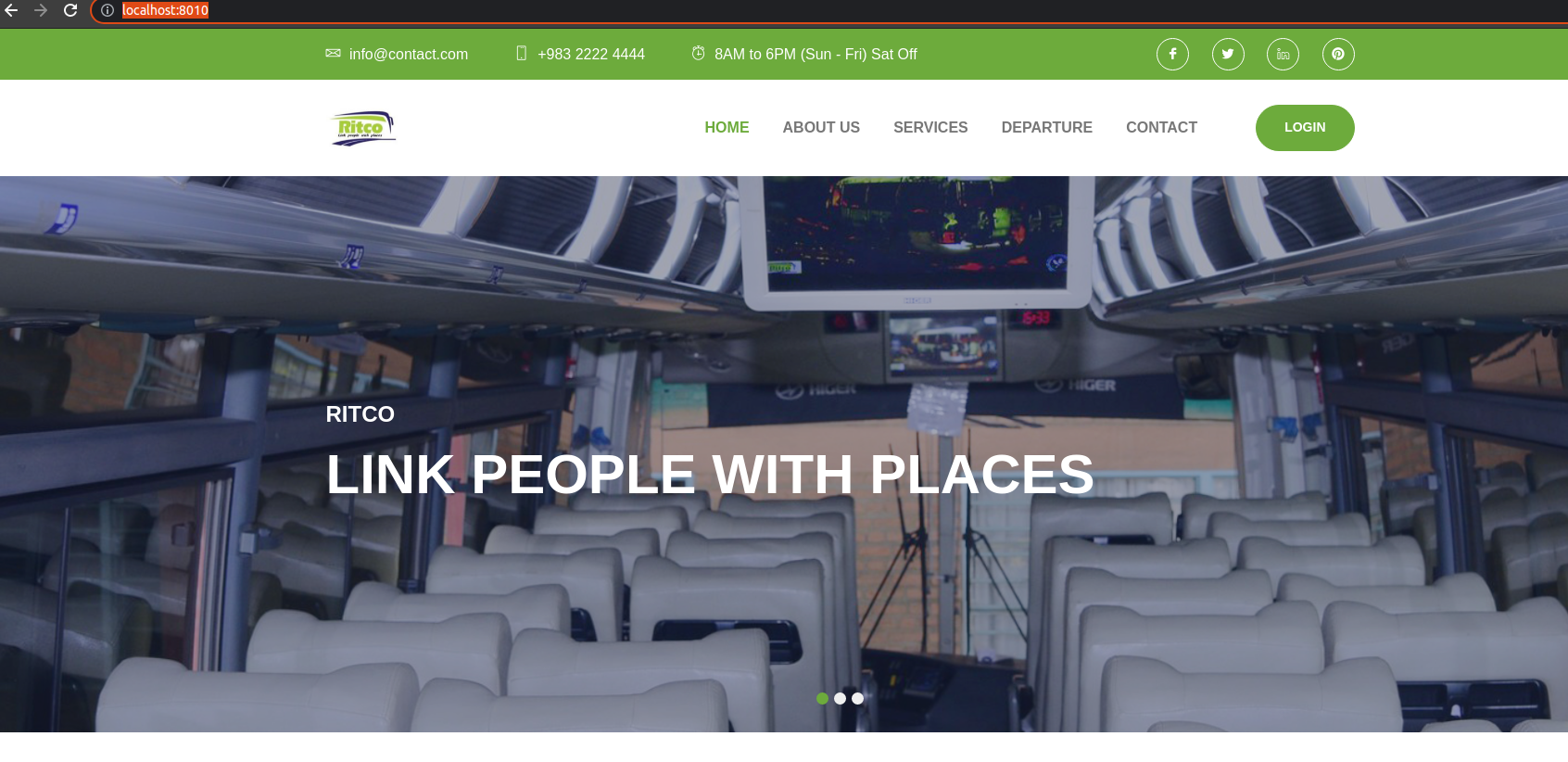
browse this link http://localhost:8010/
you will see this page
-
-
click on login and click on register here
-
register you will see a message for waiting for admin approval :)
-
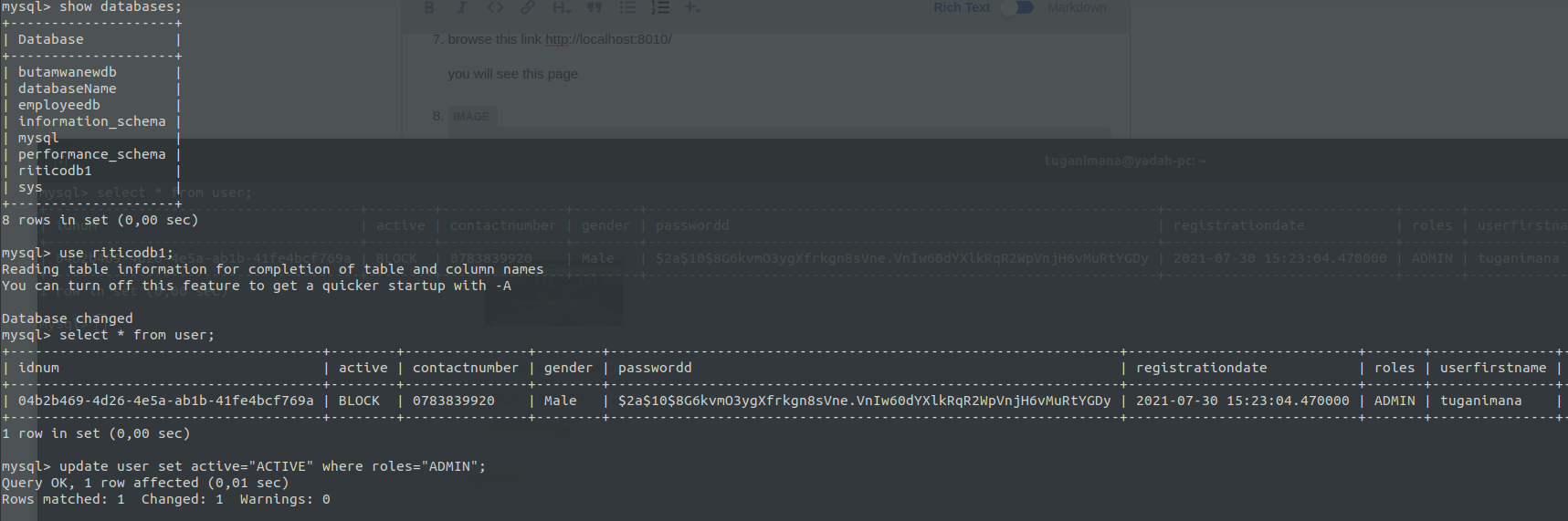
go to the database navigate to your db and select * from user
-
-
Now you will be able to login as admin and continue doing other actions thanks
-
the remaining you will check comments in source codes If you get an issue or you need further explanation feel free to contact bro. if it is helpful say thank you or buy me a coffee why not click here
Thanks
More from our blog
> This blog will show you how to resolve Parked free error page issue during you site hosting. read more
Error Netlify CMS
> this blog will show you how to handle this error Error loading the CMS Configuration while trying to use Nelify cms read more
Django and Msql(Ubuntu)
> This blog will show you how to use MySQL instead of using default Db SQLite provided by Django Framework. im using ubuntu linux read more
vmrun has returned an error: Unable to connect to host
> how to fix "`vmrun has returned an error: Unable to connect to host`" error provided by gns3 when trying to connect to a vmware host read more
Extending Hardisk size of Redhat-Virtual(Machine)-Vmware-WorkStation 16 Player
This blog will show you step by step how to Extending Hardisk of Redhat8-Virtual(Machine)-Vmware-WorkStation 16 Player, read more
Creating Local Repository | Redhat Image 8.5
> This blog is all about creating local repository by using rhel-8.5-x86_64-dvd.iso Image read more